


Shining a flashlight from outside
It adds light—but cannot turn a corner or show what is deeper inside.
⚠️ WARNING: Our product has sold out 6x this year. Order now before it's too late!
You're $49 away from FREE shipping!


SEE FIRST. DECIDE SMARTER.
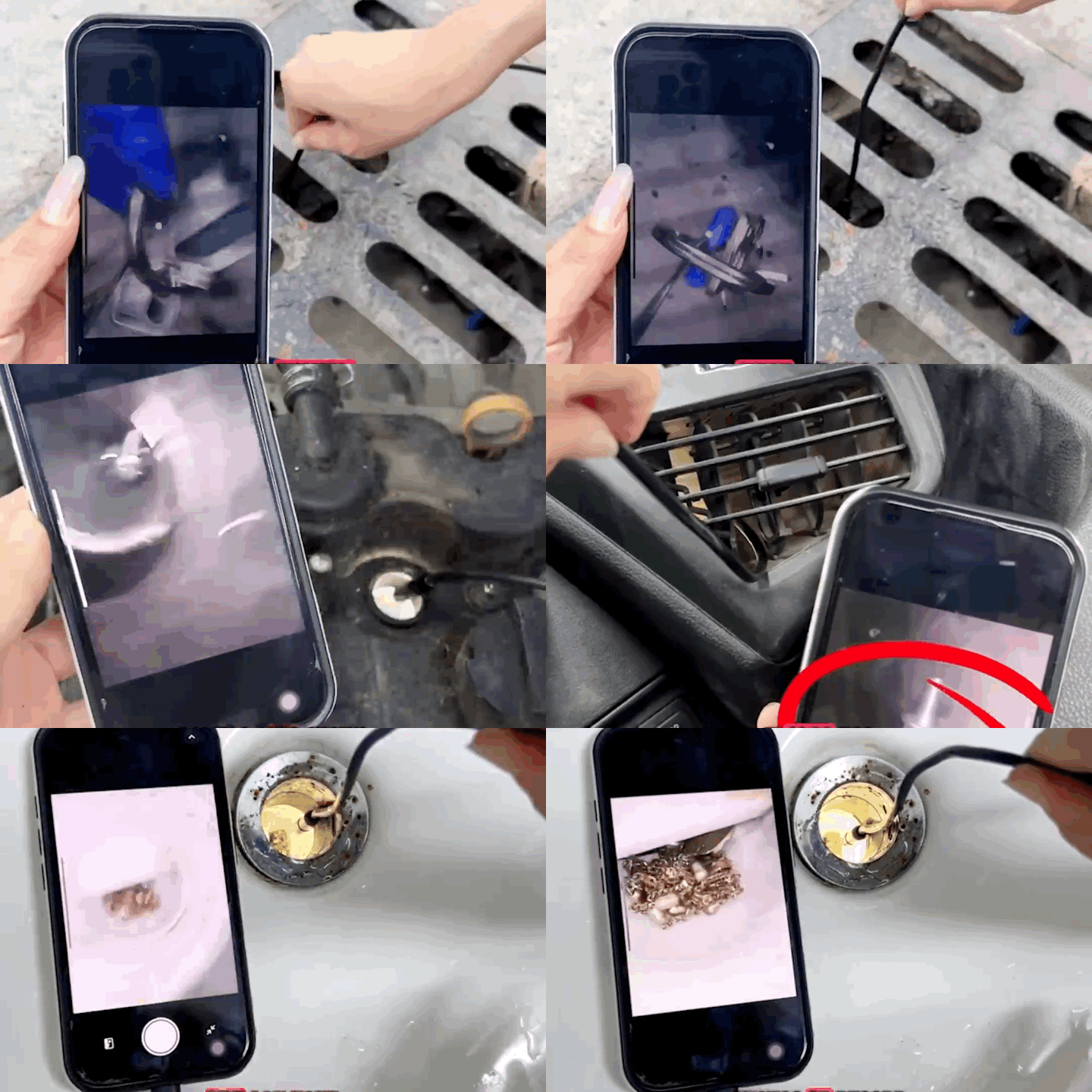
Shape the semi-rigid cable around bends and narrow openings.
Adjust the eight LEDs to reveal close-up details in dark spaces.
Watch the live inspection from the phone already in your hand.
The slim camera travels into the hidden space while the semi-rigid cable holds the curve you give it. Adjustable LEDs illuminate the area, and the live view appears on your phone—so you can inspect first and decide what to do next.
Couldn't load pickup availability


A slow drain. A rattle behind a panel. Something dropped where your hand cannot reach. The frustrating part is not always the repair—it is not knowing what is actually happening inside. So you remove another pipe, loosen another panel or replace another part, hoping the problem will finally appear.
WHY THE USUAL FIRST MOVES FAIL

It adds light—but cannot turn a corner or show what is deeper inside.
Sometimes necessary, but it creates more work before you know what you are looking for.
A new part does not help if the real problem is somewhere else.

I used the camera to look around the spark-plug area before removing parts. Once I pulled the plug, the buildup matched what I had seen and I knew exactly what to check next instead of replacing parts at random.

I guided the camera through the spark-plug opening and viewed the inside of the cylinder on my phone. That first look showed me what was happening in a space I could not see and helped me decide whether the engine needed a bigger repair.

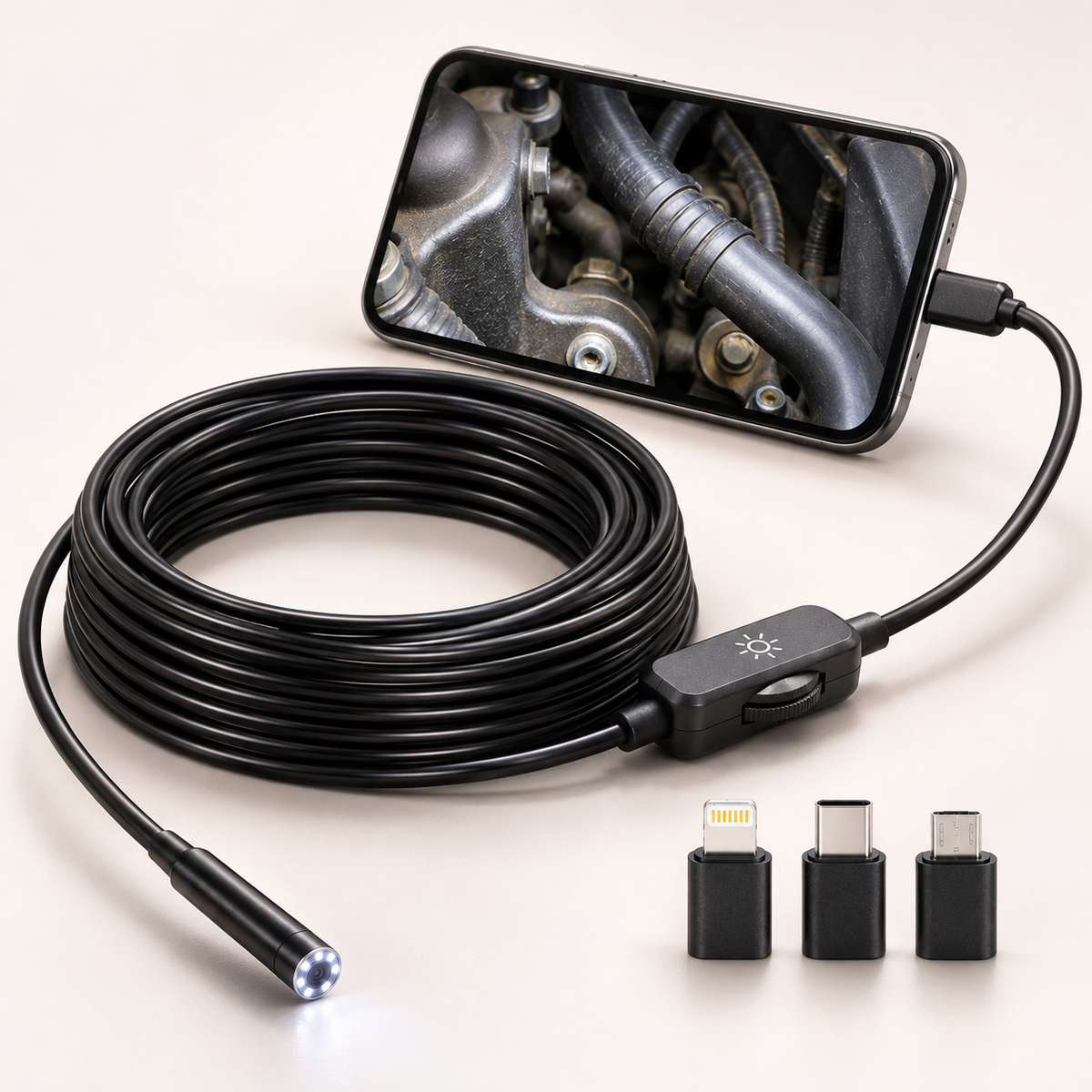
I connected the camera to my phone, switched on the LEDs and had a clear live view within minutes. The semi-rigid cable held the shape I gave it, so guiding the lens into tight spaces felt controlled instead of frustrating.

Choose the included USB-C / Type-C, Lightning or Micro-USB head that matches your phone’s charging port.

Shape the semi-rigid cable around bends, then adjust the eight LEDs for a clearer view in dark spaces.

Watch the live image on your phone, capture what matters and decide the next step with more confidence.

See through small access points and use the hook or magnet where appropriate.

Look beyond the opening before disconnecting pipes, traps or fittings.

Inspect spaces blocked by covers, hoses and components before removing more parts.

Guide the slim camera into narrow ducts, vents and awkward angles.

USB-C / TYPE-C
For iPhone 15 or newer and Android phones with a USB-C/Type-C charging port.
LIGHTNING
For iPhone 14 or earlier with a Lightning charging port.
MICRO-USB
For older Android phones with a Micro-USB charging port.
Simply match the included connector to the charging port on your phone. Some Android phones may require OTG to be enabled in Settings.
| WHAT YOU NEED TO DO | GFOUK CAMERA | FLASHLIGHT | IMMEDIATE DISASSEMBLY |
|---|---|---|---|
| Looks around narrow access points | ✓ | Limited | Sometimes |
| Adds light inside the space | ✓ | From outside | Depends |
| Shows the view on your phone | ✓ | — | — |
| Can document what you find | ✓ | Limited | After access |
| Helps you inspect before removing parts | ✓ | Limited | — |
The kit includes USB-C / Type-C, Lightning and Micro-USB connector options, covering the three common phone charging-port types. Match the included connector to your phone’s port. Android phones must support OTG, and app or operating-system support can vary by model.
Use USB-C / Type-C for iPhone 15 or newer and Android phones with a USB-C / Type-C port. Use Lightning for iPhone 14 or earlier with a Lightning port. Use Micro-USB for older Android phones with a Micro-USB port.
Yes. Install i-view from the Apple App Store or Google Play before connecting the camera. You can also scan the QR code in the included manual if your packaging directs you to the correct regional app version.
Your Android phone must support OTG. Many compatible phones enable it automatically; on others, open Settings and turn on OTG before reconnecting the camera. The menu name and location vary by phone model.
The 8mm camera probe is IP67-rated. Only the camera head should enter damp or wet inspection areas. Keep the phone, connectors, adapters and inline LED control dry. Do not use the camera in pressurized, corrosive or hot liquids.
For the clearest close-up view, keep the fixed-focus camera about 1.18–3.94 in (3–10 cm) from the object. If the image looks blurry, move the probe slightly forward or back and make sure the lens is clean.
Yes. The UseePlus app supports both photos and video. The supplier lists 1920 × 1440 pixels for this camera; saved output can vary with your phone, app version and recording settings.
The kit includes one 16.4 ft (5 m) semi-rigid single-lens camera cable with eight adjustable LEDs, USB-C / Type-C, Lightning and Micro-USB connector options, plus a hook, magnet, side-view mirror, protective cap and quick-start manual.
The hook can help catch suitable lightweight items, while the magnet can pick up small compatible metal objects. Retrieval is not guaranteed. Do not force the cable or use it to recover heavy, sharp or hazardous objects.
No. This is an inspection camera for household, automotive and industrial spaces. Never use it on people or animals.
Quilvarno accepts eligible return requests within 180 calendar days after delivery. Contact service@quilvarno.com before sending anything back for authorization, the correct return address and instructions. Preference-based return shipping is paid by the buyer; damaged, defective or incorrect items are handled without additional cost. No cancellation or restocking fee applies.
Confirm your phone compatibility, choose the pack you need and keep a closer look within reach.
